Every automated email, what a guardian can see of their own child, and the precise answer to the question every parent asks first about the camera.
The app does the chasing, not you
Most of what a coach does between practices is remind people. The app takes that job: every workout, streak, standing and deadline reaches the athlete and their guardians on its own. You never write these — and you can switch any of them off.
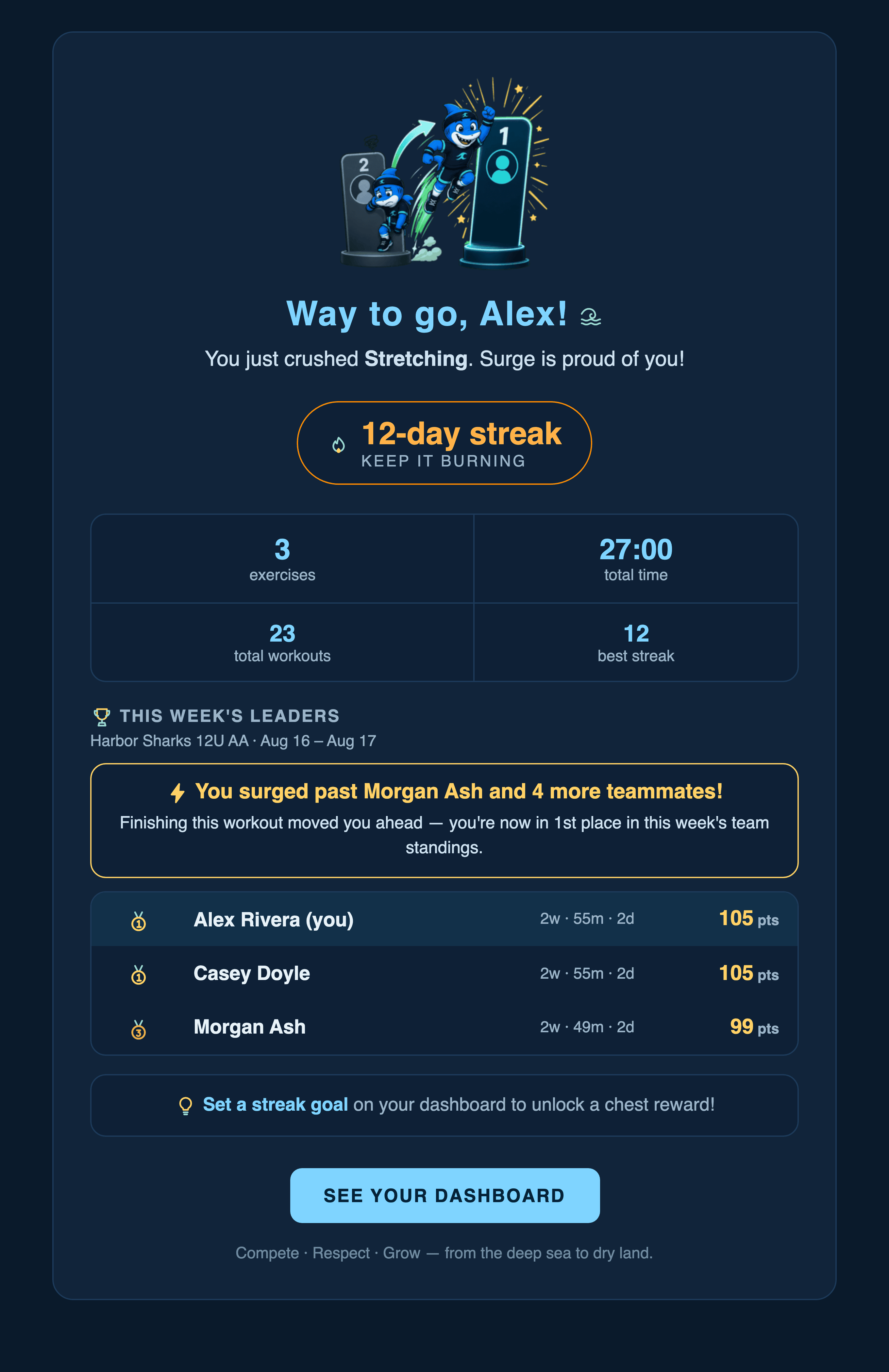
Scroll inside the frame · The email a player and their guardians get the moment a workout is finished — this is the real thing, rendered by the app, not a mock-up. It carries the session, the streak, where they now sit in the week, and what moved.
What sends itself
A coach's team switches. Account and sign-in mail is separate and always sends.
Email
Who gets it
When
Workout finished
Player + guardians
The moment a session is completed
Streak reminder
Player + guardians
6pm, only if they have a goal set and haven't trained
Come back
Player + guardians
After 7 quiet days — at most twice, then it stops
Weekly digest
Everyone on the team
Sunday morning, reporting the week that just ended
You've been passed
The player passed + guardians
Midweek onward, once per athlete per 48 hours
Film assigned / due
The athletes it was assigned to
On assigning, and again as a deadline approaches
Review sent back
Player + guardians
When a review is held or returned for a rewrite
Restraint is designed in
Every one of these is capped. The come-back note gives up after two tries. The standings alert never fires twice in 48 hours, never before midweek, and when one workout passes several kids only the closest is told. Nobody gets a wall of mail because the team had a busy Saturday.
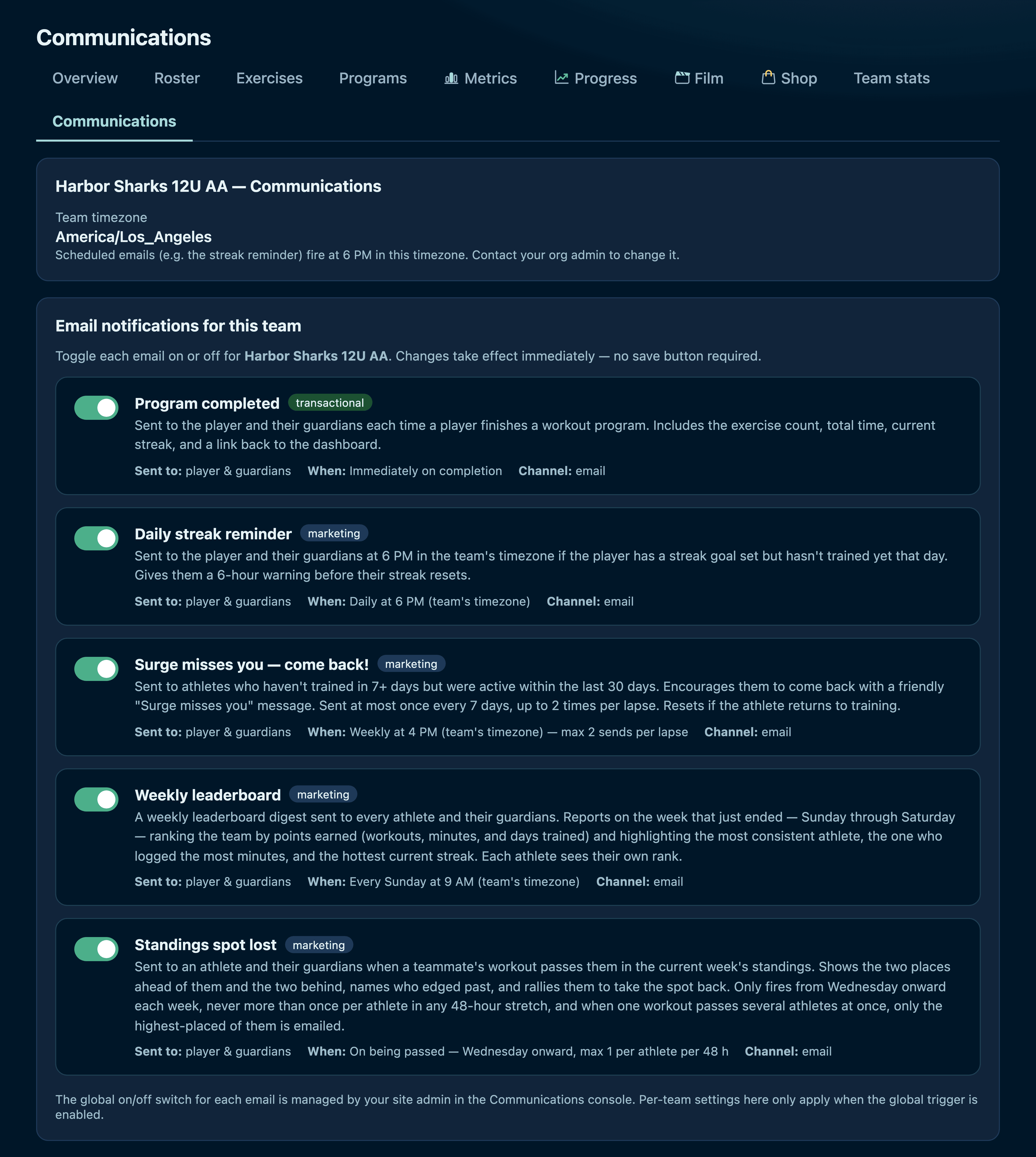
Scroll inside the frame · Your switchboard. Each one says exactly who it reaches and when it fires, and turning it off stops it for your team — decided server-side, not just hidden in the UI.
The camera never leaves the device
This is the question every parent asks first, so here is the precise answer. When an athlete runs a Sonar exercise, the video is processed frame by frame inside their browser and discarded. It is never recorded, never written to a file, and never uploaded — not to us, not to anyone.
Nothing goes up
The only thing that crosses the network is the pose model coming DOWN to the device the first time. After that the camera feed goes to the browser's own maths and nowhere else.
One number is saved
When the set finishes, what reaches the app is the result — “22 push-ups” — and nothing else. No frames, no skeleton, no clip. Exactly what would be saved if they had typed it in.
They don't even see themselves
During a workout the picture is hidden by default and the athlete sees only their own skeleton on a dark background. Showing the camera is a deliberate choice, not the starting state.
You just tested this yourself
The exercise you ran at the top of this page used exactly that pipeline. You have no account here, and this page has never sent a request to save anything — the reps you did exist nowhere at all.
A parent sees everything their child does
There is no partial view for parents. Up to four guardians link to each athlete, and every one of them gets their own account with full access to that child's side of the app — every workout, every measurement, every reward, every film assignment, and every review the child writes, including the private ones and the ones sent back. If the child can see it, so can their parents.
What a guardian cannot see is another family's child. Access follows the guardian link, so a parent reads their own athlete in full and no one else's private detail at all.
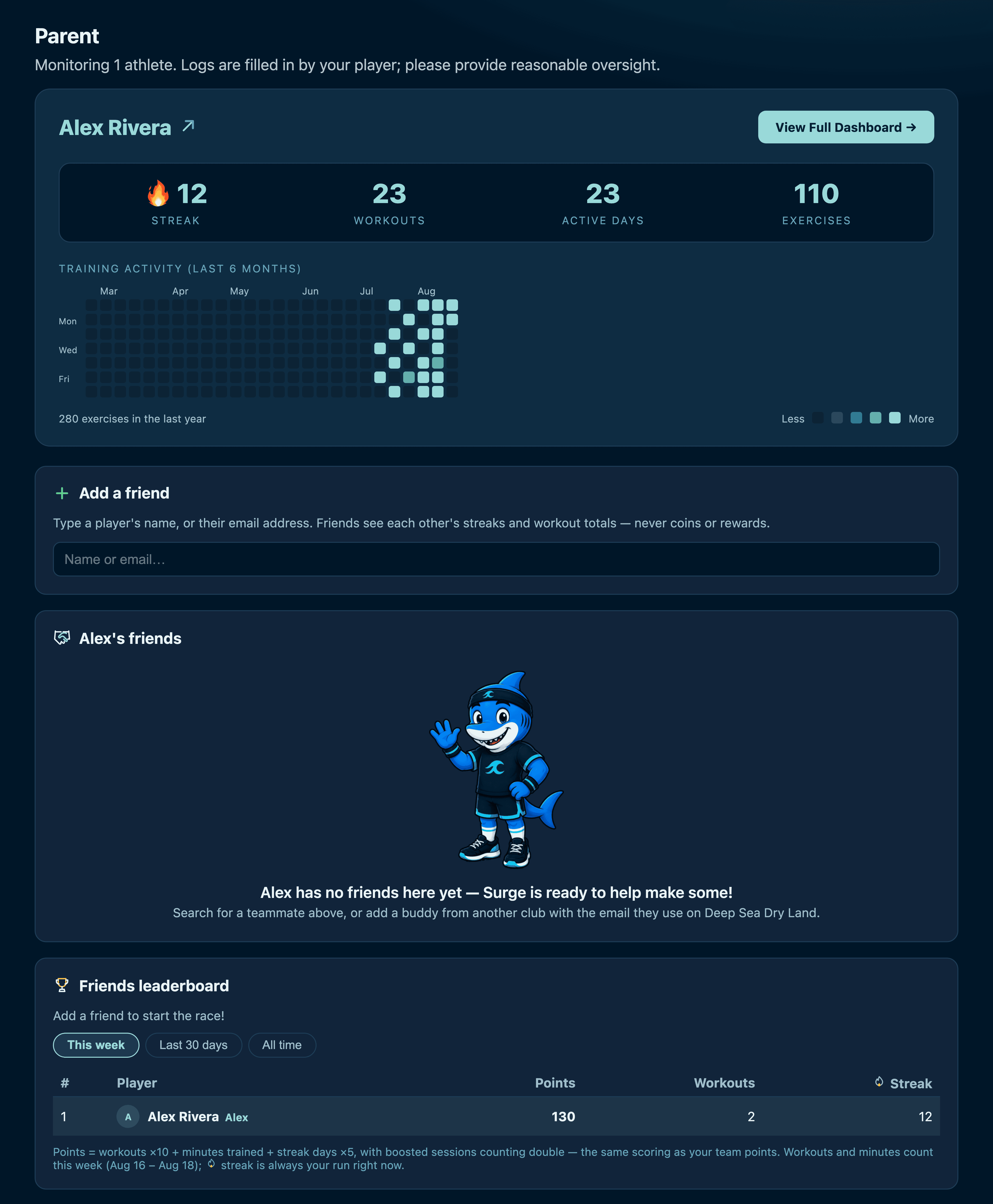
A guardian's home: their athlete, what they've been doing, and the emails they've chosen to receive. Guardians can log a workout for a younger child who doesn't have their own device.
The rest of the perimeter
Nothing is public
No public profile, no follower list, no way for a stranger to reach a child. Everything is scoped to a team, and a team to a club.
👁️Team-visible writing is screened
Every review headed for teammates is checked first, and anything borderline waits in your queue instead of going out.
Footage asks about consent
Uploading play footage requires an explicit tick that you have photo/video consent for every minor in it, recorded against your name.
Coaches are scoped
A coach reaches their assigned team and no further. Account management stays with the family.
The written policy — conduct, youth protection, how to report a concern — is at Athlete Safety.
Want to try it with your own team?
The quickest way to judge it is to run one week with a handful of players. Get in touch and we'll set your team up — roster, your programs, your weekly plan.