Two jobs, one film room

Video does two different things for a team, and the app keeps them deliberately separate — including who gets to read what a player writes back.

Two jobs, one film room

A coach and two young players looking at a tablet together on a locker-room bench

Video does two different things for a team, and the app keeps them deliberately separate. There is the clip everybody watches — an edge-work breakdown, the D-zone shifts from Saturday, the checking rules before a body-contact season. And there is the clip that belongs to one player — their own shifts, cut together, with a note only they and their family will read.

Teaching the whole team
Skill breakdowns, team play review, opponent scouting, safety and rules. Assign it to the team, set a due date, and see who has actually watched.
Coaching one player
Assign a clip to named athletes only. Nobody else on the roster knows it exists — it doesn't appear on their film page at all.

Both come from the same library. A video carries a description — what the athlete is about to watch — and a takeaway, the actual coaching point, so a 12-year-old opens the clip already knowing what they are looking for.

You decide who reads the comments

This is the control that matters most, and you set it per assignment. Asking a kid to write down what they noticed is where film stops being homework and starts being coaching — but "who else sees this?" is a different question for a team-wide breakdown than it is for a player's own bad shift.
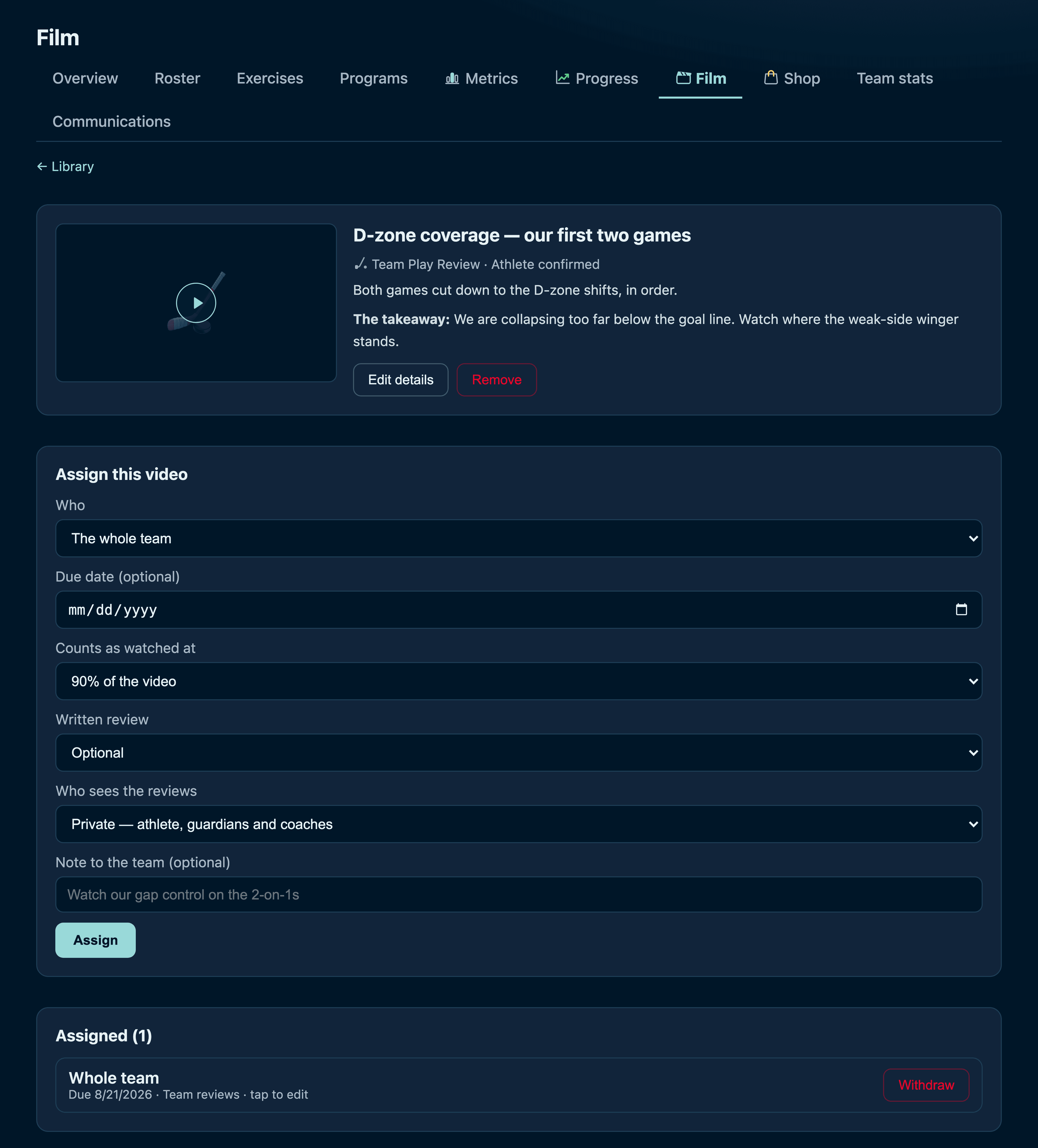
The assign form, showing the who, the review mode, and the who-sees-the-reviews control
Scroll inside the frame · Assigning a video: who watches it, when it's due, how much counts as watched, whether a written review is optional or required — and who gets to read what they write.
Private
The athlete, their guardians, and the coaching staff. No teammates — not even that the review exists.
Team
Everyone on the roster can read it and talk about it. This is how a film session keeps going after everyone has gone home.

You can also turn written reviews off entirely — some clips just need watching. And the athlete always knows which mode they are in: every card is badged Private reviews or Team discussion before they write a word.
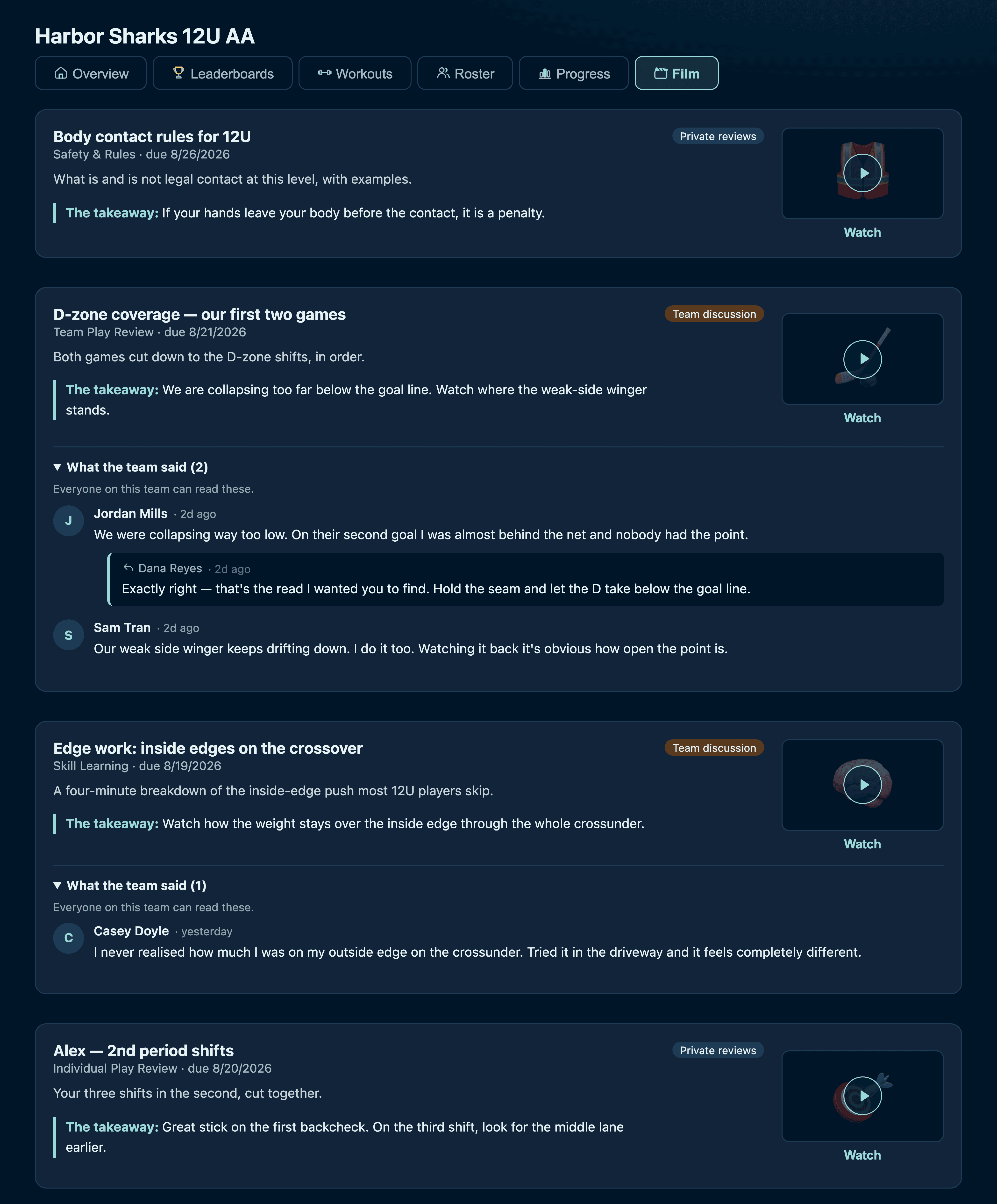
The team film page showing private and team-discussion badges and an open conversation
Scroll inside the frame · The athlete's view. The safety clip and the individual clip are marked private; the two team clips carry the conversation, with the coach's reply under it.

Nothing reaches the team unchecked

Every review headed for team eyes is screened before anyone sees it. The screening is built for hockey, not for a generic profanity filter: honest, specific criticism of the play is exactly what it is supposed to allow — "we lost every puck battle in the corners", "my first pass was late all game". What it stops is criticism aimed at a person rather than their play.

Anything it can't confidently call comes to you instead of going out. So do the near-misses — the review below is not abusive, but it judges teammates rather than the shift, and that is a coaching moment rather than a post.
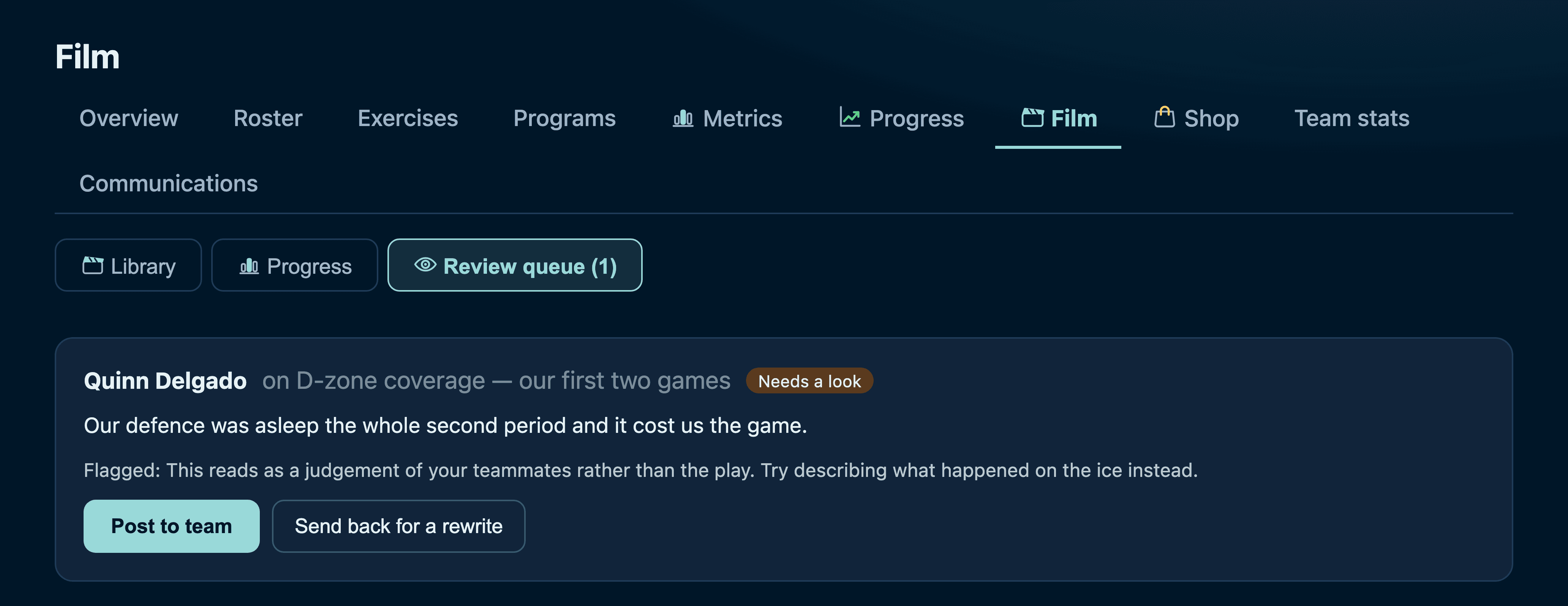
The coach review queue holding one borderline review with the reason and two actions
Your queue. You see what they wrote, why it was held, and you make the call — post it, or send it back with the reason the athlete already has in front of them.
It fails towards you, never past you
If the screening is unavailable, reviews are held rather than published. The failure mode of this feature is a coach with something to read, not a team with something they shouldn't have seen.

Who has actually watched it

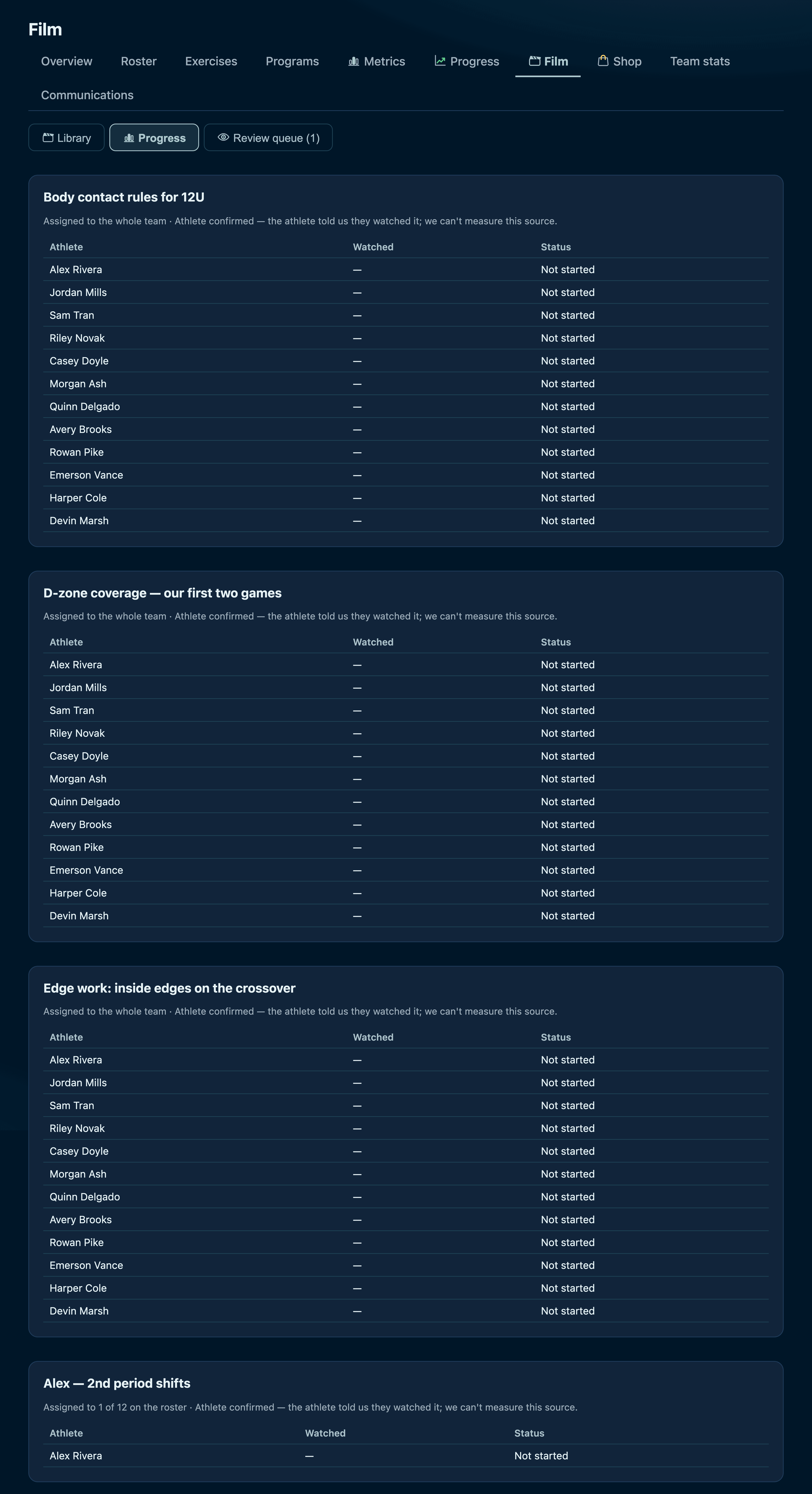
The per-assignment progress table showing who has watched and who has written a review
Scroll inside the frame · Per assignment, per athlete: opened, watched, reviewed. Enough to know who to ask at practice.
What the watch numbers honestly mean
For a YouTube embed or a video you upload, the player reports real playback position, so "watched 90%" means it. For a link out to Hudl or a shared drive, we can only know that they opened it and said they were done — the page is someone else's and reports nothing back. The app never dresses the second one up as the first.

Want to try it with your own team?

The quickest way to judge it is to run one week with a handful of players. Get in touch and we'll set your team up — roster, your programs, your weekly plan.

Get my team set up← Back to the tour